Build the best AI workflow for freelancers using tools for email, research, writing, tasks, proposals, and automation.
Introduction
Freelancers do not usually lose time because they are lazy. They lose time because they repeat the same small tasks every day.
You reply to client emails. You read briefs. You write proposals. You summarize calls. You create tasks. You follow up. You organize notes. You move information between apps.
AI can help with all of that, but only if you use it as part of a workflow.
If you are looking for the best AI workflow for freelancers, the goal is not to use every AI tool available. The goal is to create a simple system that helps you move from client request to finished work with less manual effort.
This guide shows you a practical AI workflow that freelancers can use to save time, stay organized, and improve client communication without losing control of their work.
What This Workflow Does
The best AI workflow for freelancers should help you handle repeated work across your client process.
This workflow helps you:
- capture client requests
- summarize emails and briefs
- draft replies and proposals
- turn notes into tasks
- organize project information
- create content or deliverables faster
- automate repetitive admin work
The workflow is built around one idea:
AI should assist your process, not replace your judgment.
A good freelancer workflow does not blindly automate everything. It uses AI for first drafts, summaries, checklists, and repetitive steps while you review the final output.
Tools You Need
You do not need all of these tools from day one. Start with the tools that match your current work.
ChatGPT
ChatGPT can help with writing, summarizing documents, analyzing uploaded files, creating outlines, and transforming rough notes into structured outputs. OpenAI’s file upload documentation gives examples such as summarizing documents, extracting information from uploaded files, and analyzing spreadsheets.
Use ChatGPT for:
- client email drafts
- proposal outlines
- document summaries
- content ideas
- checklists
- workflow prompts
Claude
Claude is useful for long documents, detailed writing, structured reasoning, and careful review. Anthropic’s documentation says Claude can process PDFs and answer questions about text, images, charts, and tables in provided documents.
Use Claude for:
- long client briefs
- strategy documents
- proposal editing
- detailed writing
- project planning
- complex explanations
NotebookLM
NotebookLM is useful when you need to work with sources, notes, PDFs, or research material. Google’s documentation explains that NotebookLM uses uploaded sources to answer questions and complete requests inside a notebook.
Use NotebookLM for:
- research organization
- project knowledge bases
- PDF summaries
- source-based notes
- content research
Notion or Todoist
You need a place to organize tasks, notes, and project information.
Notion can work as a project workspace, and Notion describes its AI as working directly inside pages, docs, tasks, and databases. Todoist can be used if you prefer a simple task manager.
Use these tools for:
- project notes
- client tasks
- deadlines
- checklists
- content calendars
- recurring workflows
Zapier, Make, or n8n
Automation tools help connect apps together.
Zapier describes its platform as connecting AI workflows and apps across thousands of integrations. Make describes its AI automation tools as drag-and-drop workflows that gather information, prompt AI, and direct outputs.
Use automation tools for:
- Gmail to AI draft workflows
- form response summaries
- lead classification
- task creation
- project notifications
- document processing
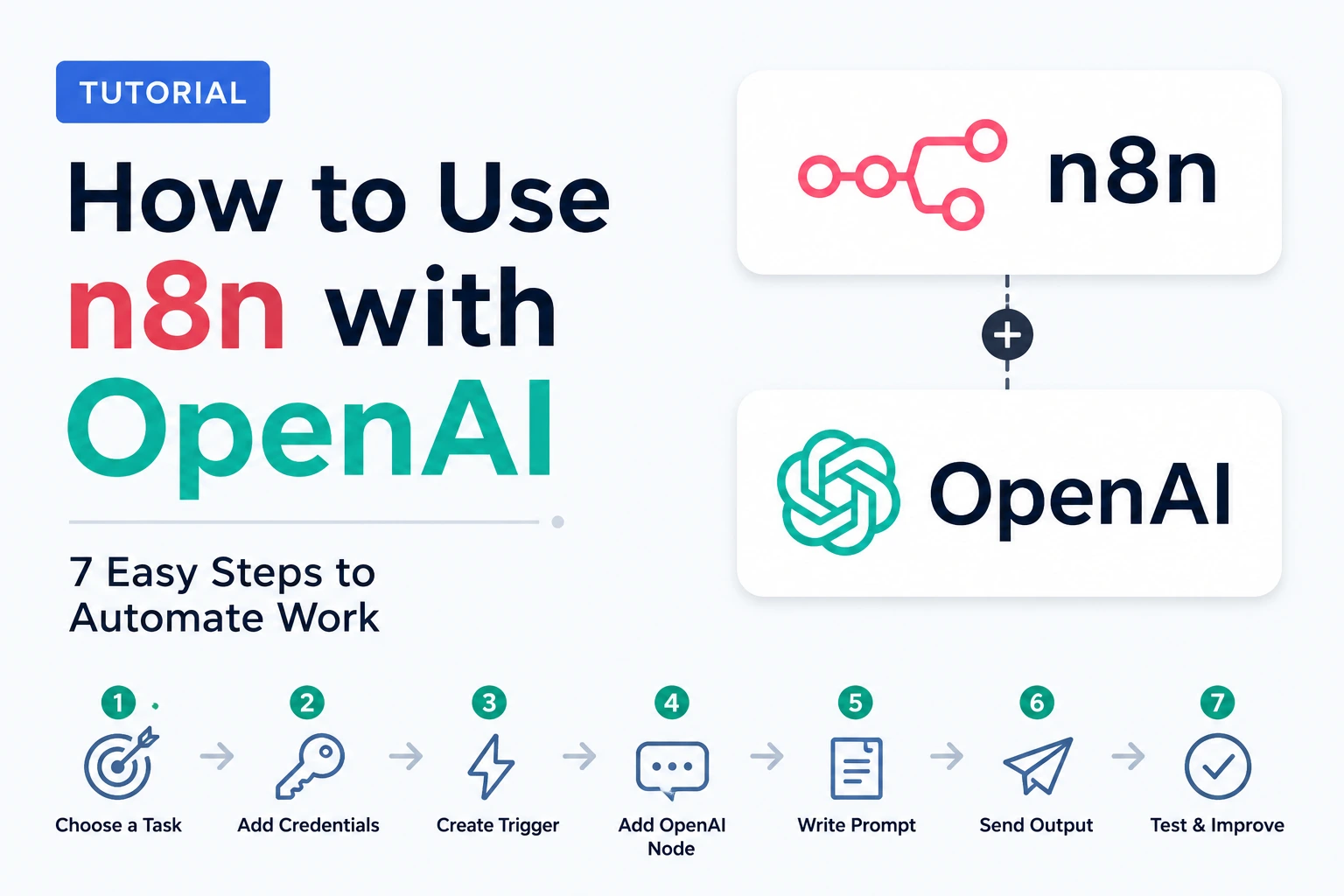
To turn this freelance workflow into a stronger automation system, you can also learn how to use n8n with OpenAI to connect forms, emails, tasks, and AI-generated outputs.
Best AI Workflow for Freelancers: The Simple System
The best AI workflow for freelancers follows a simple path:
Capture → Understand → Draft → Organize → Deliver → Follow Up → Improve
This works for many freelance services:
- writing
- design
- marketing
- development
- consulting
- virtual assistance
- video editing
- SEO
- social media management
Now let’s break it into steps.
Step-by-Step Guide
Step 1: Capture Client Requests in One Place
The first step is to stop scattering client information across too many places.
A client request may arrive through:
- Gmail
- contact form
- Upwork
- project management tool
If every request stays in a different place, your workflow becomes messy.
Your first goal is simple:
Every serious client request should end up in one workspace.
That workspace can be:
- Notion
- Google Docs
- Trello
- Todoist
- ClickUp
- a simple spreadsheet
At this stage, AI does not need to do much. Your system needs structure first.
Create a simple client request template:
Client name:
Project type:
Message summary:
Deadline:
Budget mentioned:
Important requirements:
Missing information:
Next action:
This gives AI a clear format later.
The best AI workflow for freelancers always starts with clean input. If your input is messy, your AI output will be messy too.
Step 2: Summarize Client Emails and Briefs
Once a client sends a message, use AI to summarize it.
Instead of reading the same client brief repeatedly, ask AI to extract the important parts.
Use this prompt:
Summarize this client message for a freelancer.

Extract:
1. Main request
2. Project goals
3. Deliverables
4. Deadline
5. Budget if mentioned
6. Missing information
7. Questions I should ask
8. Recommended next step

Client message:
[paste message here]
This helps you quickly understand:
- what the client wants
- what is missing
- whether the project is serious
- what you should ask next
If the client sends a PDF, use your PDF workflow first.
Step 3: Draft a Professional Client Reply
After summarizing the request, use AI to draft a reply.
Do not ask AI to send anything automatically. Use it to prepare a draft that you review.
Prompt:
Write a professional reply to this potential client.

Rules:
- Thank them for reaching out.
- Confirm what I understood from their message.
- Ask clear follow-up questions.
- Do not invent prices, deadlines, or availability.
- Keep the tone friendly and professional.
- Keep it under 180 words.

Client summary:
[paste summary here]
This is useful for:
- new inquiries
- project clarification
- follow-ups
- proposal requests
- meeting requests
A good AI reply saves time, but you should always check:
- names
- dates
- tone
- pricing
- promises
- project details
The best AI workflow for freelancers should make communication faster, not careless.
Step 4: Turn the Client Request Into Tasks
Once the client request is clear, turn it into tasks.
Use AI to create a project checklist.
Prompt:
Turn this client request into a task checklist for a freelancer.

Include:
- main project phases
- specific tasks
- information needed from the client
- possible deadlines
- quality checks
- final delivery steps

Client request:
[paste request or summary here]
Example output for a freelance web designer:
- review client brief
- confirm website pages
- request brand assets
- collect copy and images
- prepare sitemap
- create homepage draft
- review with client
- revise design
- prepare final delivery
This helps you move from “client message” to “project plan.”
If you use Notion or Todoist, save the checklist there.
Step 5: Create First Drafts Faster
Many freelance tasks require a first draft.
AI can help you draft:
- proposals
- content outlines
- emails
- social posts
- reports
- website copy
- meeting notes
- project summaries
- client updates
For example, a freelance marketer could use this prompt:
Create a first draft of a marketing proposal based on this client request.

Structure:
1. Project understanding
2. Goals
3. Recommended approach
4. Deliverables
5. Timeline assumptions
6. Questions before final pricing

Do not invent exact prices.
Keep the tone professional and practical.
This does not mean you send AI output directly to the client.
It means you start from a structured draft instead of a blank page.
That is where AI saves real time.
Step 6: Automate Repetitive Admin Work
After your manual workflow is stable, you can automate small parts.
Do not automate too early.
First, identify tasks that repeat often:
- client inquiry arrives
- email needs a draft response
- form submission needs summarizing
- task needs to be created
- document needs to be saved
- follow-up reminder needs scheduling
Example automation:
New Gmail inquiry → AI summary → Notion task → Gmail draft reply
Another example:
New form submission → AI classifies lead → Google Sheet row → Slack notification
Start with low-risk automations.
Good beginner automations:
- create a task from an email
- summarize a form response
- label an email
- generate a draft reply
- save a client summary to Notion
Avoid automating:
- contract decisions
- final client approvals
- payment disputes
- angry messages
- legal or financial replies
Automation should reduce admin work, not create business risk.
Step 7: Review and Improve Weekly
A freelancer workflow should improve over time.
Once per week, review your AI workflow.
Ask:
- Which tasks did AI help with?
- Which outputs needed too much editing?
- Which prompts worked best?
- Which client messages repeated often?
- Which steps can be turned into templates?
- Which tasks should not be automated?
Save your best prompts in a prompt library.
Create folders such as:
- client replies
- proposal prompts
- PDF summary prompts
- content prompts
- task planning prompts
- follow-up prompts
The best AI workflow for freelancers is not built in one day. It becomes stronger as you improve your prompts, templates, and review process.
Practical Example: Freelance Consultant Workflow
Imagine you are a freelance marketing consultant.
A potential client sends you a long email explaining that they need help with content strategy, SEO, and email marketing.
Without AI, your process might look like this:
- Read the email.
- Take notes manually.
- Write a reply.
- Create a proposal outline.
- Build a task list.
- Prepare follow-up questions.
With an AI workflow, the process becomes cleaner:
- Paste the client email into ChatGPT or Claude.
- Ask for a structured summary.
- Ask AI to extract missing information.
- Ask AI to draft a professional reply.
- Turn the request into a project checklist.
- Save the summary and tasks in Notion.
- Review everything manually before sending.
Prompt:
You are helping me manage a freelance marketing client inquiry.

Analyze the message and create:
1. A short summary
2. Client goals
3. Possible deliverables
4. Missing information
5. Questions to ask
6. Suggested next step
7. Draft reply under 180 words

Client message:
[paste message here]
This workflow does not replace your expertise.
It helps you move faster through the repetitive thinking and writing steps so you can focus on strategy, pricing, and client judgment.
Common Mistakes to Avoid
1. Using AI Without a Workflow
Random AI prompts create random results.
Do not open ChatGPT and ask a different question every time.
Build repeatable prompts for:
- client inquiries
- proposals
- summaries
- task lists
- follow-ups
- project updates
The best AI workflow for freelancers depends on repeatable systems, not random AI usage.
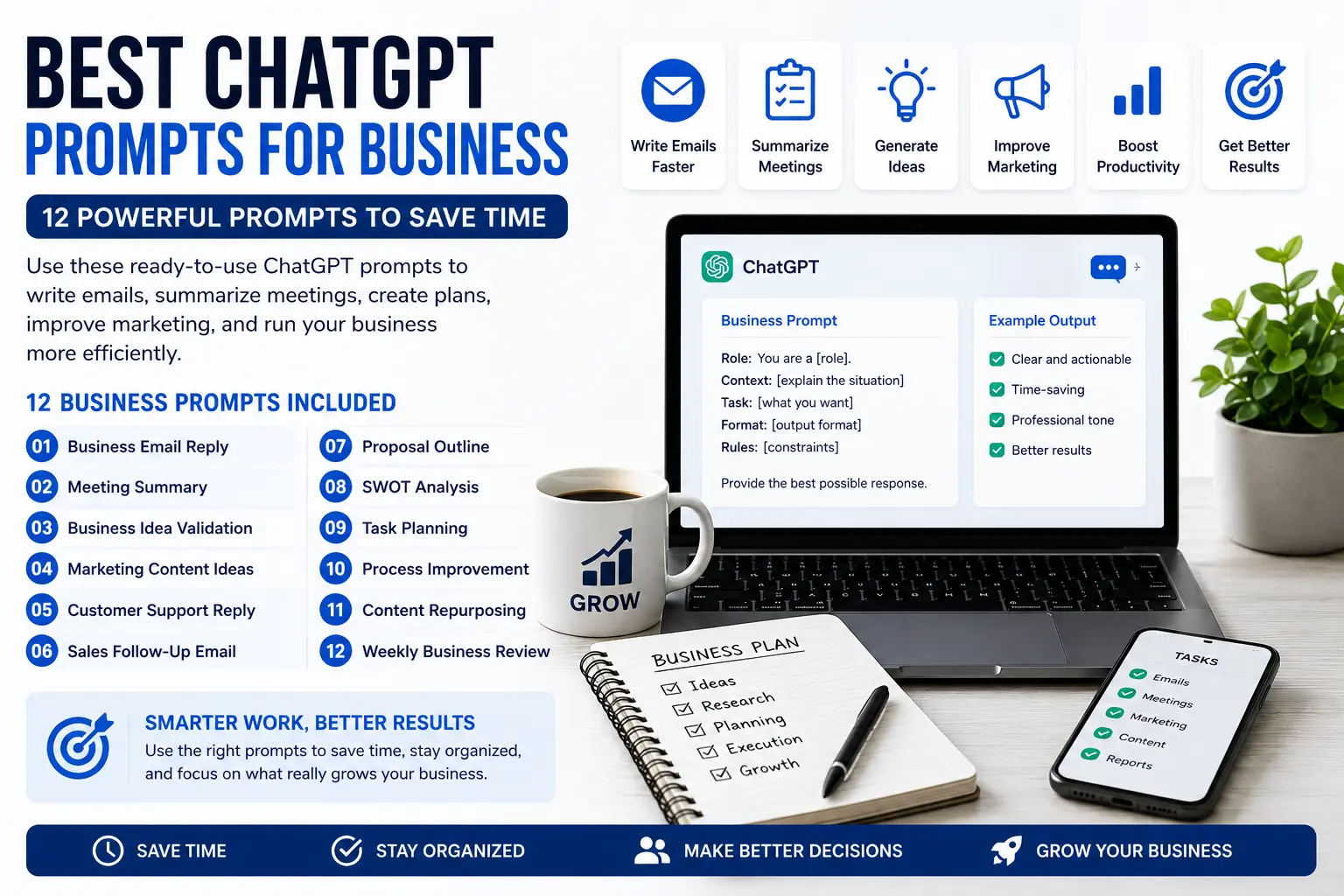
Freelancers can also save time by using the best ChatGPT prompts for business to write better client replies, proposals, summaries, and follow-up messages.
2. Letting AI Invent Business Details
Never let AI invent:
- prices
- deadlines
- guarantees
- availability
- legal terms
- technical promises
- refund policies
Always add this instruction:
Do not invent prices, deadlines, availability, or promises.
If information is missing, ask a follow-up question.
3. Automating Client Communication Too Early
AI-generated drafts are useful.
AI-sent emails are risky.
Start with drafts and manual review.
Only automate sending for very low-risk emails after extensive testing.
4. Uploading Sensitive Client Information Without Checking Privacy
Freelancers often handle private client data.
Before uploading documents or messages into AI tools, check:
- what the tool stores
- whether data may be used for training
- whether client permission is needed
- whether the information is confidential
Avoid uploading sensitive contracts, financial data, private credentials, or personal information unless you understand the privacy settings.
5. Using Too Many Tools
You do not need ten AI apps.
A simple freelancer stack can be:
- ChatGPT or Claude for thinking and writing
- Notion or Todoist for organization
- Zapier, Make, or n8n for automation later
More tools can create more confusion.
Best Practices
Create a Freelancer Prompt Library
Save your best prompts.
Organize them by task:
- reply to client inquiry
- summarize project brief
- create proposal outline
- turn notes into tasks
- write follow-up email
- summarize meeting notes
- extract action items
This makes AI faster and more consistent.
Use AI for Drafts, Not Final Decisions
AI is useful for:
- summarizing
- drafting
- organizing
- rewriting
- extracting
- brainstorming
You should still decide:
- pricing
- project scope
- final wording
- deadlines
- client boundaries
- whether to accept a project
Keep a Human Review Step
The best freelancer workflow is:
AI prepares → you review → you send
This protects quality and trust.
Start With Your Most Repetitive Task
Do not try to automate your entire freelance business.
Start with one pain point.
Examples:
- replying to inquiries
- summarizing client briefs
- writing proposals
- creating project checklists
- drafting weekly updates
One good workflow is better than ten broken workflows.
Improve Prompts Based on Real Client Work
After using a prompt several times, improve it.
Add:
- your tone
- your services
- your boundaries
- your typical process
- things AI should avoid
- questions AI should always ask
Your prompts should become part of your operating system.
Privacy and Safety Rules
AI can make freelance work faster, but client trust matters more than speed.
Follow these rules:
- Do not upload sensitive client files unless you understand the tool’s privacy policy.
- Do not share passwords, private credentials, or financial information with AI tools.
- Do not let AI create final legal, financial, or contractual advice.
- Do not allow AI to auto-send important client emails without review.
- Do not rely on AI to define pricing or project scope.
- Always review client-facing work before sending it.
For freelancers, the safest approach is:
AI helps you prepare the work. You approve the work.
FAQ
What is the best AI workflow for freelancers?
The best AI workflow for freelancers is a simple system that captures client requests, summarizes them, drafts replies, creates task lists, organizes project notes, and automates repetitive admin work only after manual review.
Which AI tools should freelancers use first?
Most freelancers can start with ChatGPT or Claude for writing and summarizing, Notion or Todoist for organization, and Zapier, Make, or n8n later for automation.
Can AI help freelancers write proposals?
Yes. AI can help create proposal outlines, summarize client needs, draft project sections, and identify missing information. You should still review pricing, timeline, scope, and final wording yourself.
Can freelancers automate client emails with AI?
Yes, but the safest method is to generate draft replies first. AI can prepare the reply, but you should review and send it manually, especially for new clients or important conversations.
Is AI safe for freelance client work?
AI can be safe if you use it carefully. Avoid uploading sensitive client documents unless you understand the privacy policy of the tool. Always review outputs before sending or publishing.
How many AI tools does a freelancer need?
Start with two or three tools. A simple stack is better than a complicated one. Add new tools only when they solve a clear repeated problem.
Should freelancers use automation tools like Zapier, Make, or n8n?
Yes, but only after the manual process is clear. Automation is useful for repeated workflows such as saving form submissions, creating tasks, summarizing emails, or drafting replies.
Conclusion
The best AI workflow for freelancers is not about using the most advanced tools. It is about building a simple system that saves time every week.
Start with this workflow:
Capture client request → summarize with AI → draft reply → create task list → organize project → automate repeated steps → review weekly
This gives you a practical structure for handling client work faster without losing quality.
Use AI for drafts, summaries, checklists, and repetitive admin. Keep human judgment for pricing, promises, strategy, client communication, and final decisions.
Once you understand the best AI workflow for freelancers, you can improve it slowly with better prompts, better templates, and careful automation.