Compare Claude vs ChatGPT for coding on code quality, debugging, planning, codebase reasoning, and AI coding workflows.
Introduction
AI coding assistants have become part of normal software work.
Developers, freelancers, founders, students, and no-code builders now use AI to write scripts, debug errors, explain code, build features, refactor files, and understand unfamiliar codebases.
Two of the most popular options are Claude and ChatGPT.
Both are useful, but they do not feel the same in real coding work.
ChatGPT is fast, direct, and strong for everyday coding help such as debugging, short scripts, API examples, quick explanations, and practical code snippets. OpenAI’s Codex also extends OpenAI’s coding ecosystem by working as a coding agent that can read and edit files, run commands, and work through development tasks.
Claude is often stronger when the task needs deeper reasoning, longer explanations, architecture planning, multi-file logic, and careful review. Anthropic describes Claude Code as an agentic coding tool that can read a codebase, edit files, run commands, and integrate with development tools.
If you are comparing Claude vs ChatGPT for coding, the best choice is not always one tool forever. The better question is: which assistant fits the coding task in front of you?
In this guide, you will learn the seven key differences between Claude and ChatGPT for coding, when to use each one, and how to build a safer AI coding workflow.
A good beginner project is to build an AI Telegram bot because it combines Python, OpenAI, and a simple real-world chat workflow.
What AI Coding Assistants Can Do
Before comparing both tools, it helps to understand what AI coding assistants can actually help with.
They can support tasks such as:
- writing functions, components, and small scripts
- explaining code you did not write
- debugging errors and stack traces
- refactoring messy code
- writing tests and documentation
- converting code between languages
- planning features and architecture
- reviewing code for risks and edge cases
- explaining terminal errors in plain English
- building app features step by step
A good Claude vs ChatGPT for coding comparison should not ask which tool is always better.
The better question is:
Which tool is better for this coding task?
One assistant may be better for a quick bug fix. The other may be better for understanding a full project structure or planning a complex feature.
Claude vs ChatGPT for Coding: Quick Comparison
| Feature | ChatGPT | Claude |
|---|---|---|
| Best for | Fast coding help, debugging, snippets, Codex workflows | Long reasoning, codebase understanding, planning, Claude Code workflows |
| Beginner friendliness | Very strong | Strong |
| Code explanation | Strong | Very strong |
| Debugging | Strong | Strong |
| Long context reasoning | Strong | Very strong |
| Agentic coding tool | Codex | Claude Code |
| Main advantage | Speed, clarity, broad usefulness | Careful reasoning, long-form planning, codebase discussion |
The short Claude vs ChatGPT for coding decision looks like this:
Use ChatGPT when you want fast coding help, clear explanations, quick debugging, small scripts, and access to OpenAI’s coding ecosystem.
Use Claude when you want detailed reasoning, careful planning, long code explanations, and thoughtful codebase analysis.
1. Ease of Use
ChatGPT: Fast and Direct
For quick coding questions, ChatGPT is very easy to use.
You can paste an error, ask a question, or request a small code snippet and usually get a direct answer quickly.
Good everyday use cases:
- “Fix this JavaScript error.”
- “Explain this Python function.”
- “Write a regex for this pattern.”
- “Convert this code from PHP to JavaScript.”
- “What does this terminal error mean?”
ChatGPT is especially approachable for beginners because you can ask simple questions and get practical answers without needing a complex setup.
Claude: Slower, More Thorough
Claude is also beginner-friendly, but it often gives more detailed explanations.
That can feel like too much when you only want a quick fix, but it is useful when you want to understand the problem more deeply.
Claude is strong for:
- explaining why a bug happens
- walking through a function step by step
- explaining how files connect
- comparing implementation approaches
- identifying hidden risks in a solution
- planning before writing code
For most quick coding questions, ChatGPT usually feels faster. Claude is better when you need to understand the reasoning behind the code.
2. Code Quality and Practical Output
Both tools can write useful code.
But the quality depends heavily on your prompt.
A weak prompt:
Build me an app.A better prompt:
You are a senior full-stack developer.

Build a simple task management app using Next.js and Tailwind CSS.

Requirements:
- Add, edit, and delete tasks.
- Save tasks in local storage.
- Use clean component structure.
- Add comments for important logic.
- Keep the design simple and responsive.
This better prompt works with both tools because it gives context, stack, requirements, and output expectations.
ChatGPT: Strong for Quick, Usable Output
ChatGPT is strong for:
- isolated functions
- React components
- API examples
- small automation scripts
- debugging fixes
- SQL queries
- documentation
- quick implementation steps
If you want working code quickly, ChatGPT is often the faster path.
Claude: Strong for Structured, Reasoned Code
Claude is useful when you want:
- more explanation before the code
- cleaner reasoning around tradeoffs
- review of larger code blocks
- safer refactoring suggestions
- architecture discussion
- hidden issue detection
- more careful implementation planning
The best Claude vs ChatGPT for coding choice depends on the task.
For quick output, ChatGPT is often better.
For careful reasoning and larger context, Claude often feels stronger.
3. Debugging and Error Fixing
Debugging is one of the most useful AI coding tasks.
You can paste:
- error messages
- stack traces
- broken functions
- failed test results
- terminal output
- configuration errors
Both tools can help, but they approach debugging slightly differently.
ChatGPT for Debugging
ChatGPT is strong when you want a fast explanation and a direct fix.
Use this prompt:
You are a debugging assistant.

Here is my error message:
[paste error]

Here is the related code:
[paste code]

Explain:
1. What the error means
2. The most likely cause
3. The corrected code
4. How to avoid this mistake next time
ChatGPT is useful for common problems such as:
- undefined variables
- missing imports
- wrong function names
- missing await statements
- type mismatches
- incorrect API responses
- syntax errors
Claude for Debugging
Claude can be better when the bug involves multiple files, complex state management, or unclear logic.
Use this prompt:
You are a senior developer reviewing a bug.

Analyze this code and error carefully.

Explain:
1. What is probably causing the issue
2. Which part of the code is most risky
3. What to check first
4. The safest fix
5. Any side effects the fix might create

Code:
[paste code]

Error:
[paste error]
Claude may be more likely to explain the deeper issue, not only the immediate fix.
For simple bugs, either tool can work.
For deeper bugs, Claude’s careful reasoning can be more useful.
4. Working With Larger Codebases
Single snippets are easy.
Real projects are harder.
When working with a full codebase, the assistant needs to understand:
- file structure
- dependencies
- existing code style
- database schema
- routes
- components
- tests
- business logic
- environment variables
- deployment constraints
This is where agentic coding tools become important.
ChatGPT and Codex
OpenAI’s Codex is designed as a coding agent for real software development. OpenAI says Codex can answer questions about a codebase, read and edit files, and run commands such as tests, linters, and type checkers in an isolated environment.
Codex CLI also lets users run OpenAI’s coding agent locally from the terminal, where it can read, change, and run code in a selected directory.
This moves ChatGPT from a chat-based helper toward a more practical coding workflow that can work inside a real project.
Claude and Claude Code
Claude Code is Anthropic’s coding tool for working directly in a codebase. Anthropic describes Claude Code as an agentic coding system that reads codebases, makes changes across files, runs tests, and delivers committed code.
Anthropic’s Claude Code documentation also describes it as a tool that reads a codebase, edits files, runs commands, and integrates with development tools.
For larger codebase tasks, the Claude vs ChatGPT for coding decision often depends on which ecosystem you prefer: OpenAI Codex or Anthropic Claude Code.
5. Planning and Architecture
Writing code is only one part of building software.
Before writing code, you often need to decide:
- which stack to use
- how to structure folders
- how to design the database
- how to handle authentication
- how to split components
- how to manage API routes
- how to write tests
- how to deploy safely
Claude often feels strong for planning because it gives more detailed reasoning and explains tradeoffs carefully.
Claude planning prompt:
You are a senior software architect.

I want to build:
[describe app]

Create:
1. Recommended tech stack and why
2. Folder structure
3. Database tables
4. Main features for MVP
5. API routes
6. Authentication approach
7. Common risks in this type of project
8. Build order
9. What to defer to version 2
ChatGPT is also strong for planning, especially when you want a practical build path.
ChatGPT planning prompt:
You are a practical full-stack developer.

Create a build plan for this app:
[describe app]

Give me:
1. MVP features only
2. Tech stack
3. Step-by-step build order
4. Database structure
5. Pages and components needed
6. Testing checklist
7. Deployment checklist
For planning, both are useful.
Claude is often better when you want more reasoning.
ChatGPT is often better when you want direct implementation steps.
Claude and ChatGPT are only part of a larger AI stack, so it also helps to compare the best AI tools for productivity for writing, research, automation, and daily work.
6. Agentic Coding Workflows
Agentic coding means the AI does more than answer questions in a chat window.
It can:
- inspect files
- edit code
- run commands
- check tests
- suggest changes
- work across multiple files
- follow a development task end to end
OpenAI positions Codex as a coding agent that can work in a development environment, and Codex CLI can read, edit, and run code locally from the terminal.
Anthropic describes Claude Code as an agentic coding tool available across interfaces such as terminal, IDE, desktop app, browser, Slack, and CI/CD workflows.
This part of Claude vs ChatGPT for coding is important because AI coding assistants are becoming less like simple chatbots and more like development agents.
For beginners, start with chat-based help.
For developers, agentic coding tools can be useful once you are comfortable reviewing diffs, running tests, and controlling what changes are made.
7. Safety, Review, and Control
AI coding assistants can make mistakes.
They may:
- invent functions
- use outdated syntax
- miss edge cases
- create insecure code
- misunderstand requirements
- remove important code
- change files you did not expect
- suggest unsafe terminal commands
OpenAI’s Codex security documentation explains that Codex can read files, make edits, and run commands in the workspace, with approval settings available for actions outside the workspace or network access.
Claude Code is also designed around tool and command workflows, so review and permissions matter when using it on real projects. Anthropic’s documentation describes Claude Code as a tool that edits files and runs commands, which means developers should review changes carefully.
The safest coding workflow is:
AI suggestion → human review → test → commit
Before using AI-generated code, check:
- Does it actually run?
- Does it pass tests?
- Is it secure?
- Does it match the project style?
- Does it handle errors?
- Does it create new bugs?
- Does it expose private data?
- Does it change files you did not expect?
This matters more for production apps, client work, authentication, payments, databases, and business automation.
When to Use ChatGPT for Coding
Use ChatGPT when you want:
- fast answers
- quick fixes
- code explanations
- debugging help
- small scripts
- isolated functions
- API examples
- productivity automation scripts
- Codex-based coding workflows
ChatGPT is especially useful for beginners, freelancers, developers, and builders who want efficient everyday coding support.
Good ChatGPT coding tasks:
- “Explain this error and fix it.”
- “Write a small Python script to rename files.”
- “Create a basic React component.”
- “Write a SQL query for this.”
- “Convert this from JavaScript to TypeScript.”
- “Explain this API response.”
When to Use Claude for Coding
Use Claude when you want:
- careful explanations
- long-form reasoning
- architecture planning
- codebase discussion
- risk-focused code review
- refactoring suggestions
- multi-file reasoning
- Claude Code workflows
Claude is especially useful for larger projects where understanding why matters as much as knowing what to change.
Good Claude coding tasks:
- “Review this app architecture and identify risks.”
- “Explain how these files connect.”
- “Plan this new feature before I write code.”
- “Refactor this function without breaking behavior.”
- “Compare these two implementation approaches.”
Practical Example: Building a Simple SaaS Feature
Imagine you want to build a SaaS feature:
Users paste an article, enter a focus keyword, and receive SEO improvement suggestions.
A practical workflow could be:
- Use Claude to plan the feature.
- Use ChatGPT to generate the first code structure.
- Use ChatGPT or Codex to create files.
- Use Claude to review the logic and risks.
- Test the feature manually.
- Use either tool to fix errors.
- Review everything before deploying.
This is where Claude vs ChatGPT for coding becomes less about choosing one forever and more about using the right tool at the right step.
Planning prompt:
You are a senior SaaS product engineer.

Plan this feature:
Users paste an article and a focus keyword.
The app returns SEO improvement suggestions.

Create:
1. User flow
2. Backend logic
3. Frontend components
4. Database needs, if any
5. AI prompt structure
6. Edge cases to handle
7. MVP build order
Implementation prompt:
You are a full-stack developer.

Build the first version of this feature using:
- Next.js
- TypeScript
- Tailwind CSS

Requirements:
- Textarea for article input
- Input for focus keyword
- Submit button
- Results section with loading state
- Basic error handling

Keep the code clean and add comments where the logic is not obvious.
Practical Example: Debugging a Broken Feature
Imagine your app has this bug:
The form submits, but the result does not appear on the page.
Use this prompt:
You are a debugging assistant.

Problem:
The form submits, but the result does not appear on the page.

Here is the relevant code:
[paste code]

Explain:
1. The most likely cause
2. What to check first
3. The corrected code
4. How to test the fix
5. What mistake caused the bug
For deeper review, use this prompt:
You are a senior developer.

Review this bug carefully.

Look for:
- state management issues
- API response problems
- missing await statements
- frontend rendering issues
- backend errors
- incorrect variable names

Give me the safest fix and explain why it works.
ChatGPT may give a faster direct fix.
Claude may give a more detailed reasoning path.
Both can be useful if you test the output carefully.
Common Mistakes to Avoid
1. Asking for a Full App in One Prompt
When people compare Claude vs ChatGPT for coding, one common mistake is asking either tool to build the whole project immediately.
Bad prompt:
Build me a SaaS app.Better workflow:
idea → requirements → architecture → first component → test → next feature
Ask for smaller parts first.
2. Not Giving Enough Context
AI coding assistants need context.
Include:
- programming language
- framework
- error message
- related code
- expected behavior
- actual behavior
- constraints
- file structure if needed
Without context, the answer may be generic or wrong.
3. Copying Code Without Testing
Never trust code just because it looks clean.
Test:
- happy path
- empty input
- invalid input
- slow network
- failed API call
- edge cases
- security-sensitive behavior
4. Ignoring Security
Be careful when using AI for:
- authentication
- payments
- user data
- admin panels
- file uploads
- API keys
- database permissions
- server configuration
Ask the AI to review security risks before using code in production.
5. Making Too Many Changes at Once
If an AI agent changes many files at the same time, debugging becomes harder.
Ask for small changes.
Review diffs.
Run tests.
Commit working steps one at a time.
Best Practices
Write Clear Prompts With Context
A good coding prompt includes:
- role
- goal
- tech stack
- current code
- expected output
- constraints
- testing instruction
Example:
You are a senior React developer.

Fix this component.

Goal:
The form should submit user input and display the response.

Rules:
- Do not change the UI design.
- Keep the component simple.
- Explain the fix.
- Include the corrected code only after the explanation.

Code:
[paste code]
Ask for the Approach Before the Code
Before generating code, ask:
Explain the best approach before writing the code.This helps you catch bad assumptions early.
Use AI for Review, Not Just Generation
After generating code, ask:
Review this code for bugs, security risks, edge cases, and unnecessary complexity.Both Claude and ChatGPT are useful for review.
Keep Human Control Throughout
The safest coding workflow is:
AI proposes → human reviews → tests run → code is committed
Do not let AI make production changes without review.
Build a Coding Prompt Library
Save prompts for:
- debugging
- refactoring
- code explanation
- feature planning
- test writing
- documentation
- security review
- API integration
Better coding results often start with clearer instructions, just like the best ChatGPT prompts for business use structure, context, and constraints to produce better outputs.
FAQ
Which is better: Claude vs ChatGPT for coding?
There is no universal winner. ChatGPT is stronger for fast coding help, quick debugging, small scripts, and everyday tasks. Claude is stronger for careful reasoning, long explanations, architecture planning, and complex codebase analysis.
Is Claude better than ChatGPT for coding?
Claude can be better for long explanations, codebase reasoning, planning, and careful review. ChatGPT can be better for fast answers, quick debugging, coding snippets, and broad everyday coding help.
Is ChatGPT good for coding?
Yes. ChatGPT can help with debugging, code generation, explanations, scripts, and API examples. OpenAI’s Codex also extends OpenAI’s coding ecosystem with agentic coding workflows.
Is Claude good for coding?
Yes. Claude can help with code explanation, architecture planning, codebase reasoning, and careful review. Claude Code also supports direct codebase workflows through tools such as terminal and IDE integrations.
Should beginners use Claude or ChatGPT for coding?
Beginners can use both. ChatGPT is often easier for quick questions and direct fixes. Claude is useful when beginners want more detailed reasoning and careful explanations.
Can AI coding assistants build a full app?
They can help build parts of an app, but you should not treat AI output as finished production code. Use AI for planning, drafts, components, debugging, and review. Then test everything carefully.
Should I use both Claude and ChatGPT for coding?
Yes. Using both can be practical. You can use Claude for planning and review, then use ChatGPT for fast implementation, quick debugging, and code explanations.
Conclusion
The Claude vs ChatGPT for coding decision depends on what you are trying to do.
Use ChatGPT when you want fast coding help, quick debugging, code explanations, small scripts, and access to OpenAI’s coding ecosystem.
Use Claude when you want careful reasoning, architecture planning, long explanations, codebase review, and Claude Code workflows.
For many developers and builders, the best workflow is not one tool forever.
A practical workflow is:
Claude for planning → ChatGPT for implementation → both for debugging and review
Start small. Give clear context. Ask for explanations. Test every output. Review code before using it in real projects.
Once you understand the strengths of each tool, Claude vs ChatGPT for coding becomes a simple decision: use the assistant that fits the task in front of you.
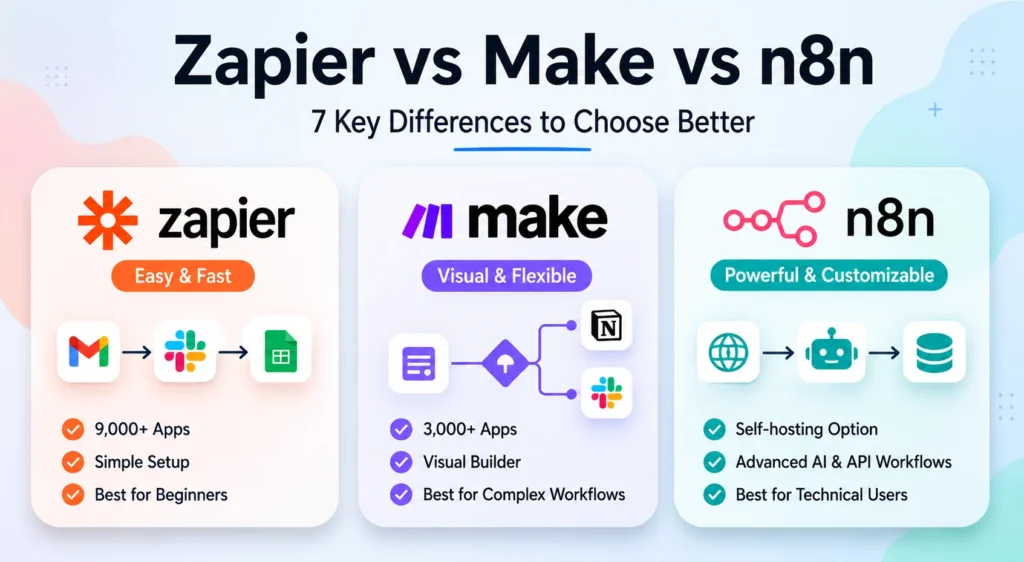
If you want to move from coding help to practical automation, you can also learn how to use n8n with OpenAI to connect apps, prompts, and AI-generated outputs.